Frequently Asked Questions
It generally takes between 2-3 business days after the live Zoom webinar to verify attendance and issue certificates. You can find all your past CLE certificates in your account dashboard. Just log into your profile at www.trialacademy.org and click on “CLE History.” You can filter by date and/or by master’s or CLE credit to view all your CLE. See below: 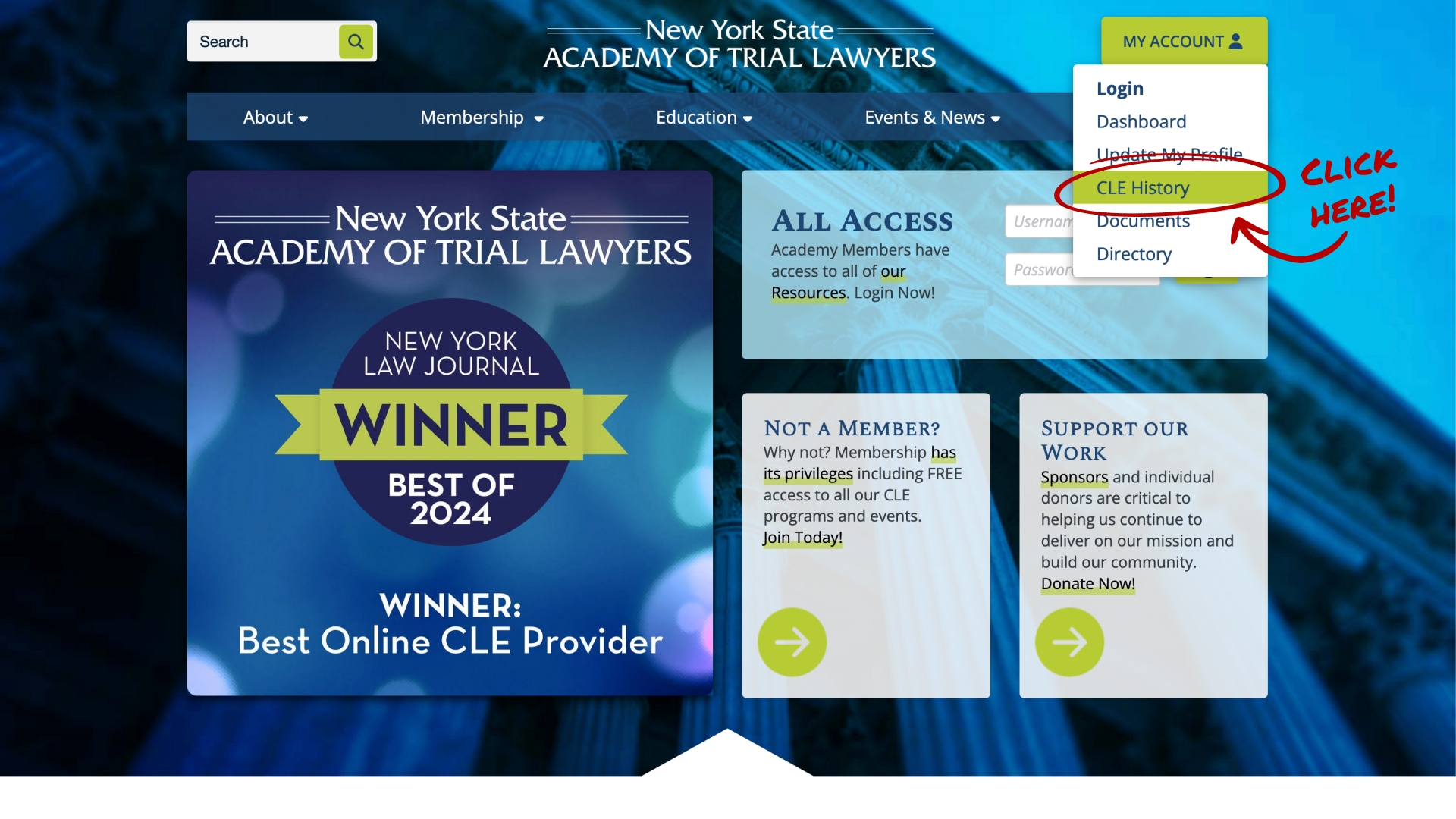
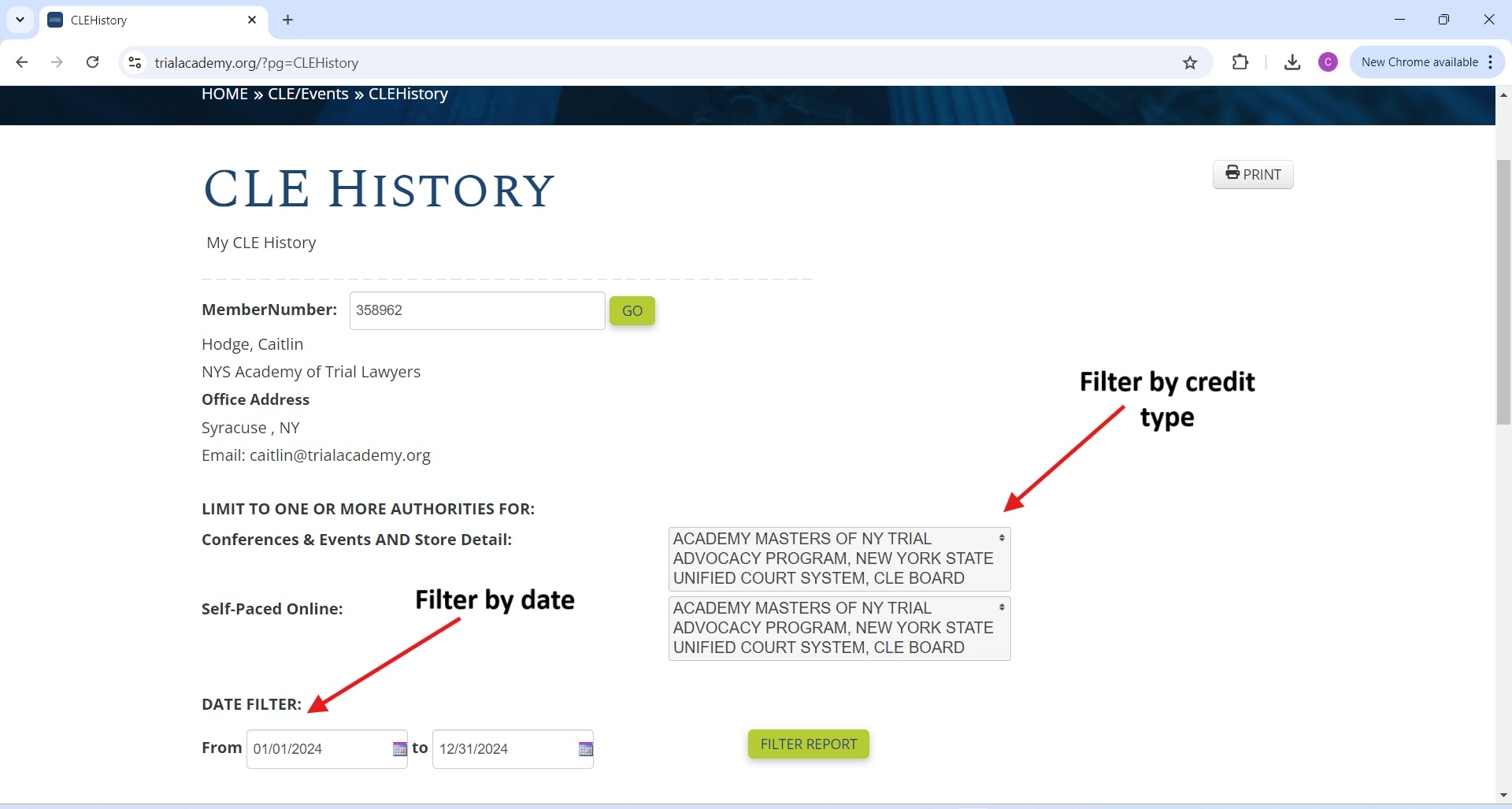
To register for a CLE, start by viewing our full calendar by clicking HERE You can select your desired course and click the green “Register Now” button on the right side of the screen. 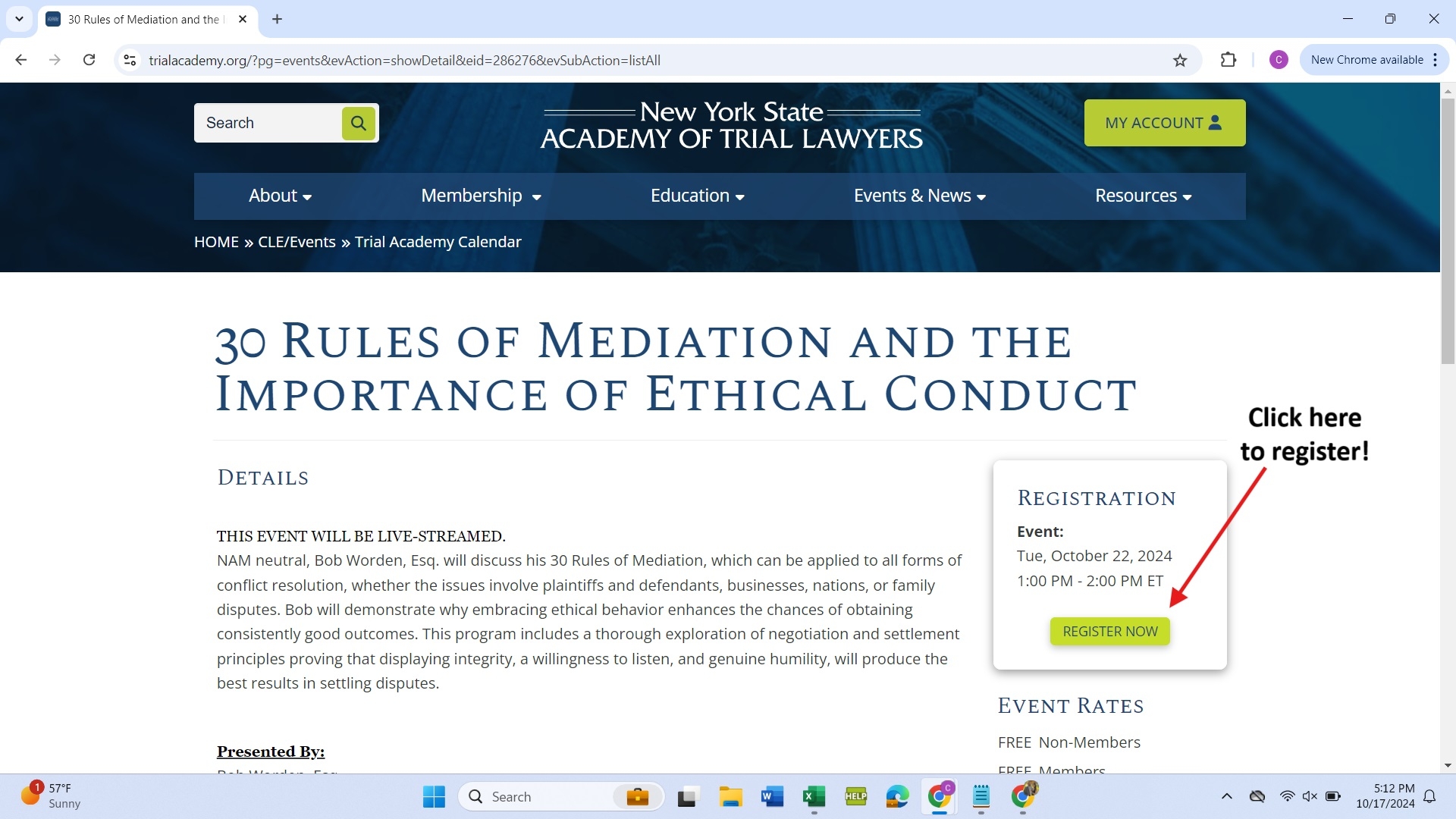
All NY CLE is approved for New Jersey and Connecticut credit. You do not need separate state-specific CLE certificates and may use the same NY CLE certificate for reporting in these states. We can also submit our courses for Pennsylvania credit (please note you must be a member for this benefit). We do not submit our courses for credit in any other state.
You can check the status of your membership and view your invoice by logging into your account on our website and clicking “Dashboard”
Step 1: 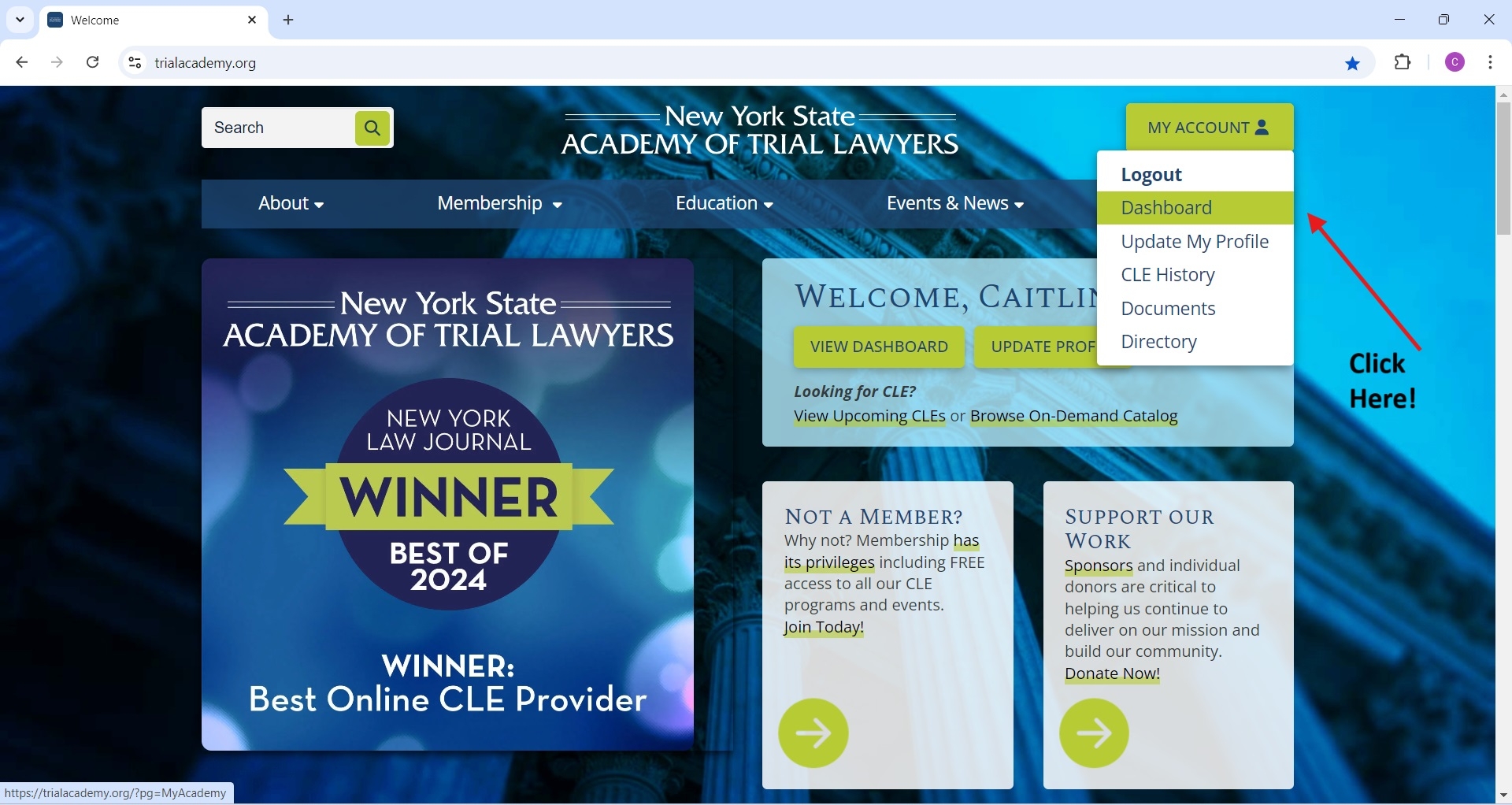 Step 2: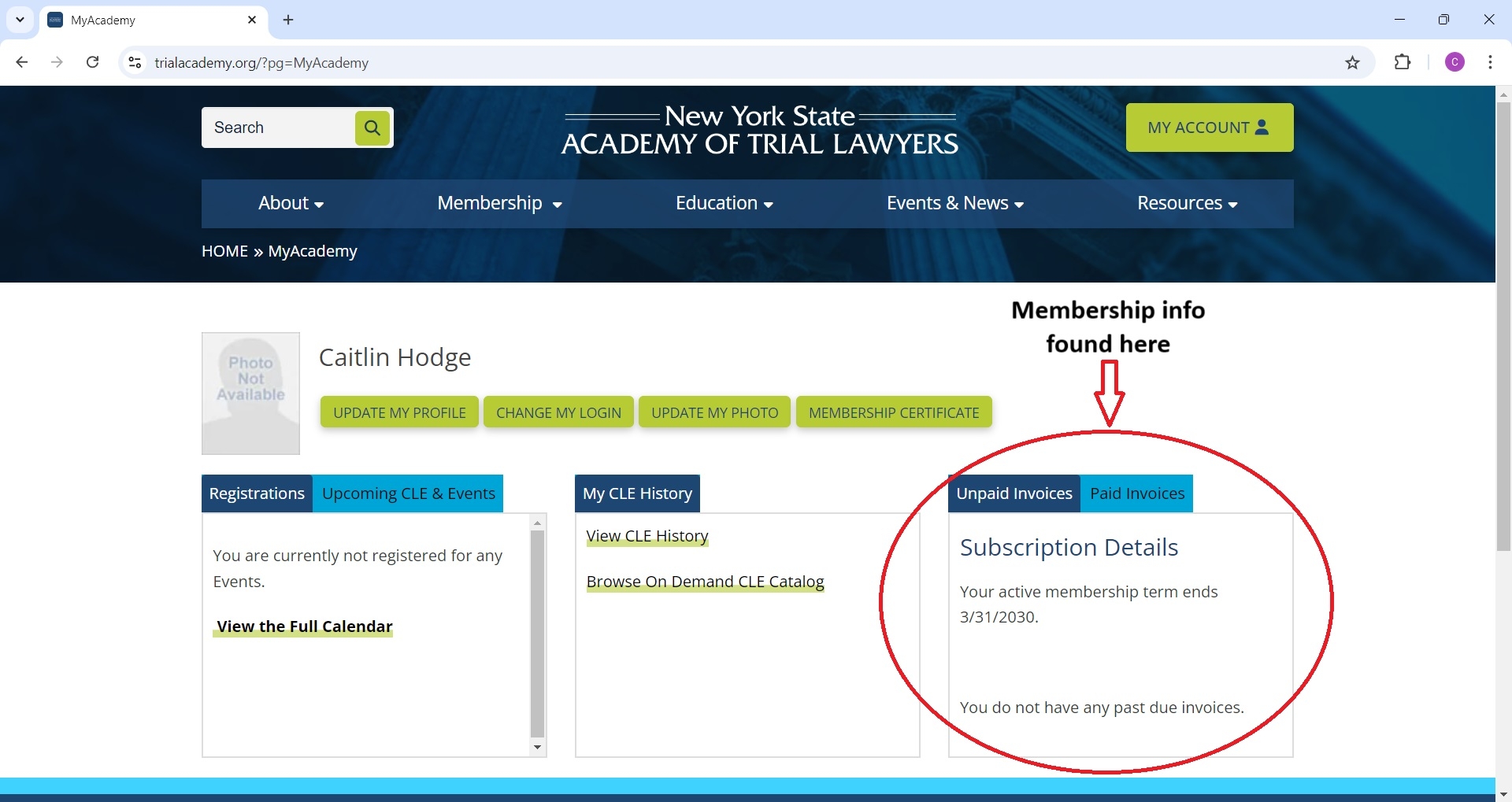
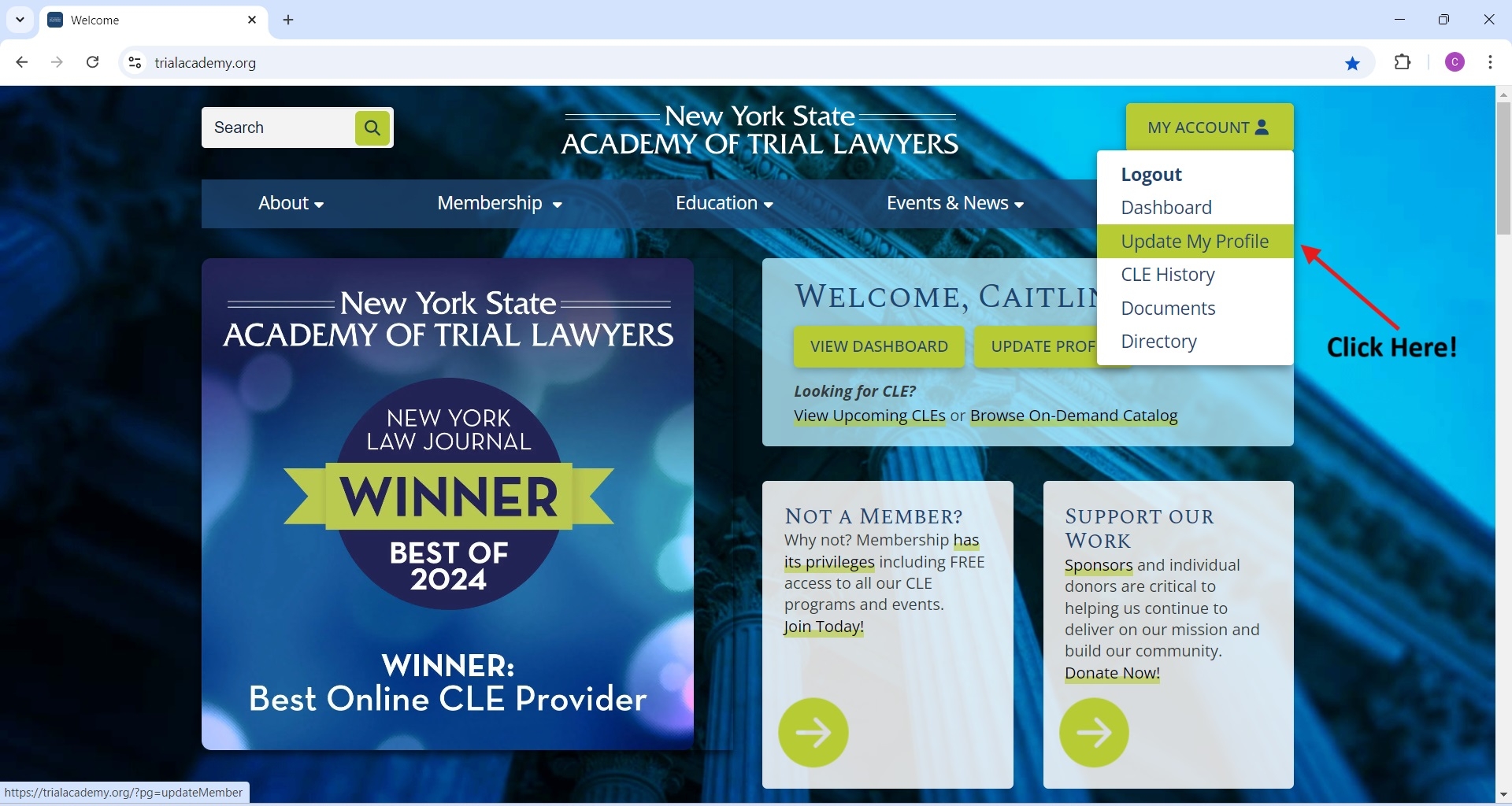
To update your information, log into your account and navigate to the 'Update My Profile' section. Make the necessary changes and save your updates: 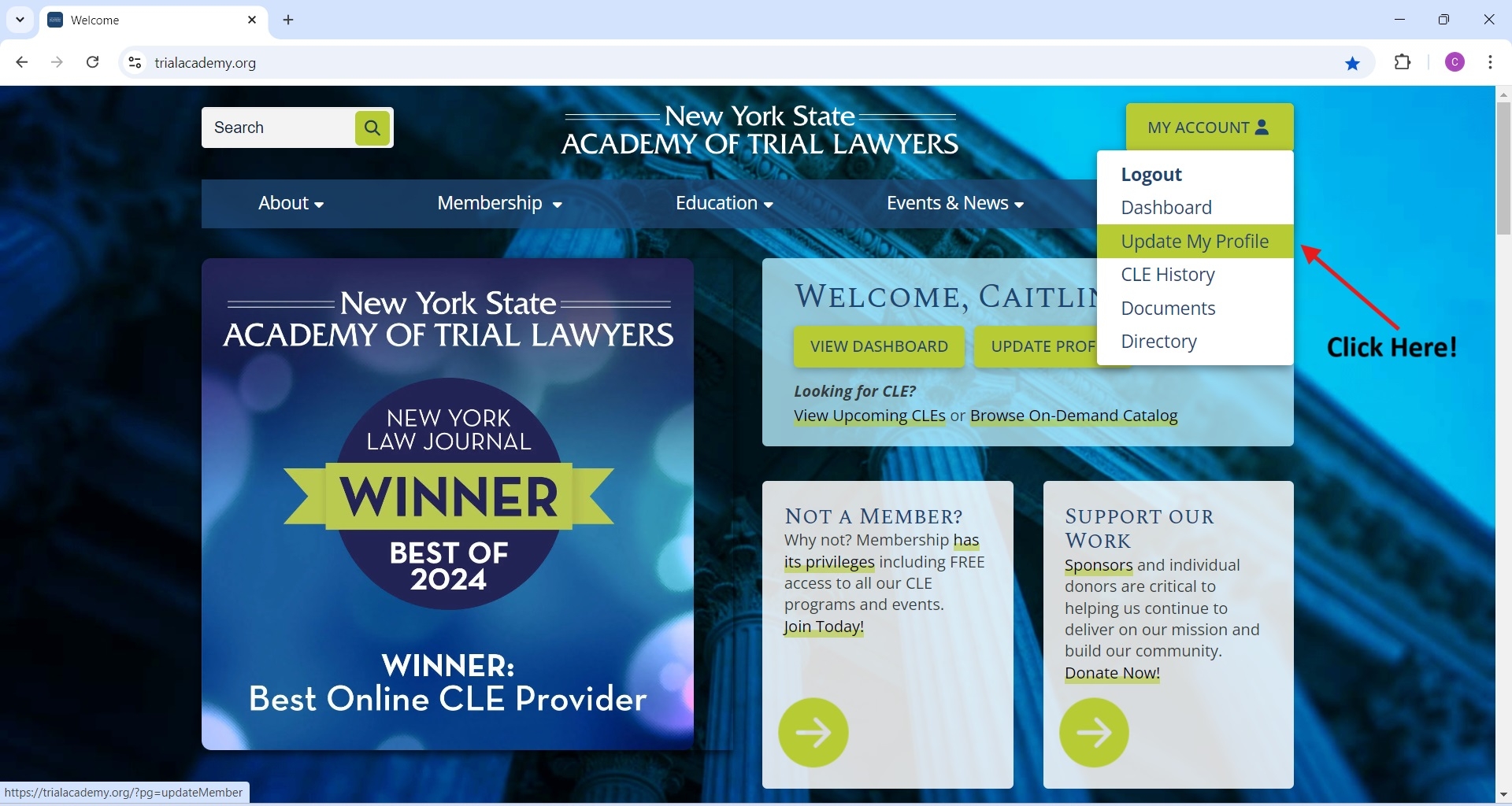
You can access the on-demand catalog by logging into your account and navigating to the CLE Catalog section. Here, you'll find a variety of courses available for viewing at your convenience. See below: 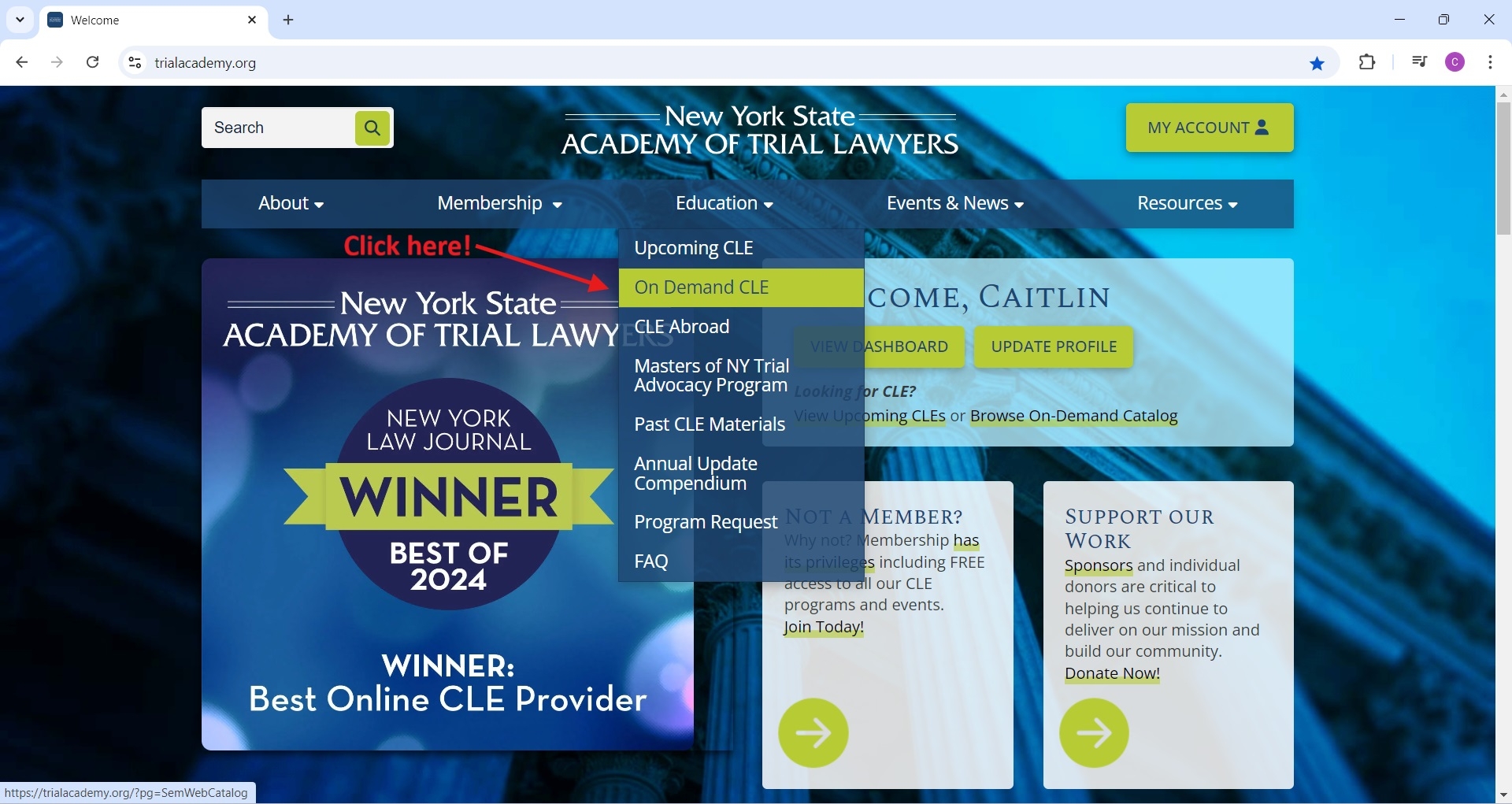 Remember, all our CLE are available in our on-demand catalog 10-14 days after the live Zoom webinar. On-demand CLE are free for members and $75 for non-members. Should you later decide to join, we’ll credit that payment towards your initial membership dues with us!
After logging into your account, click on “Dashboard” 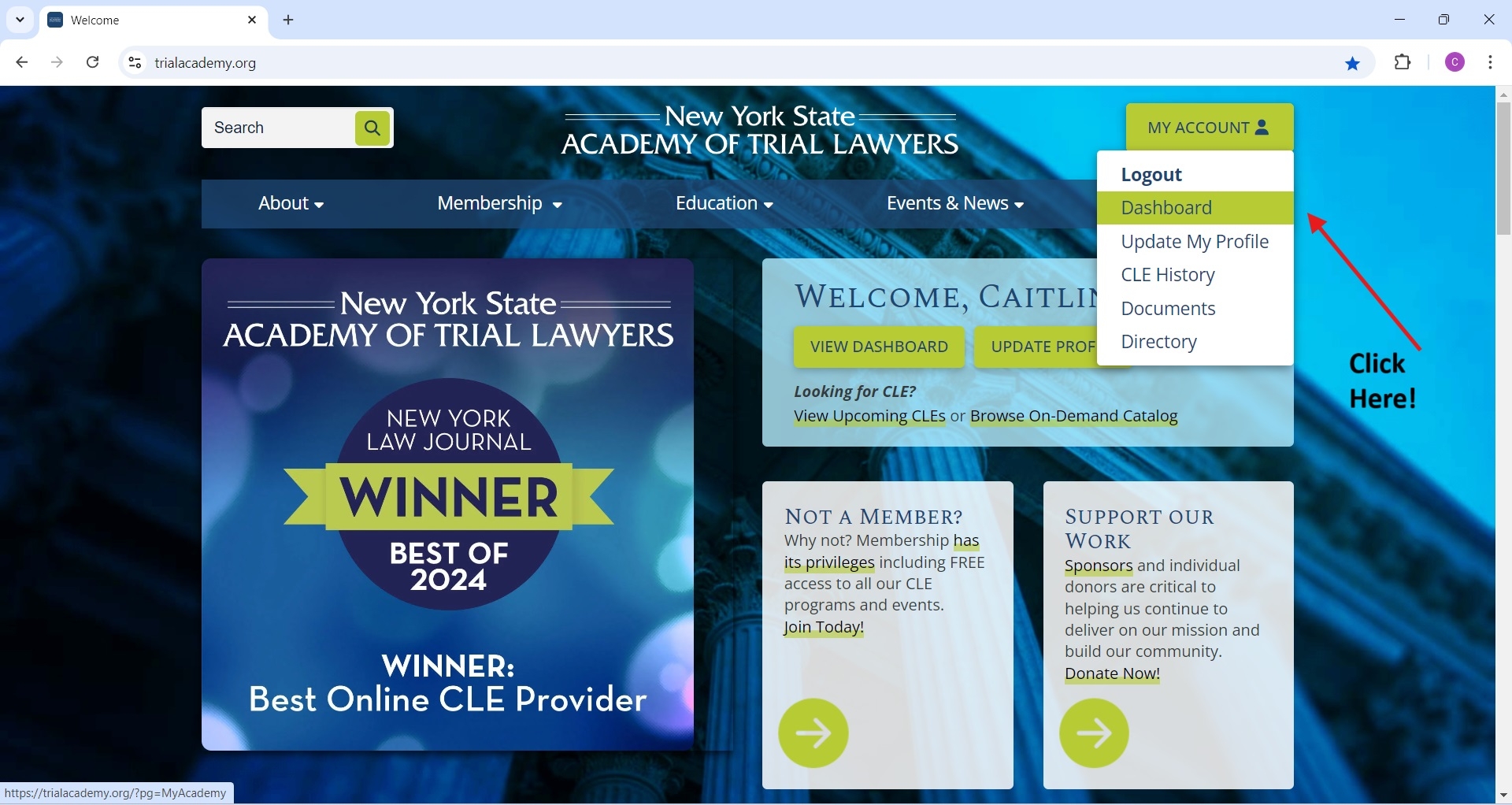 From there, click “Browse On-Demand CLE Catalog”
 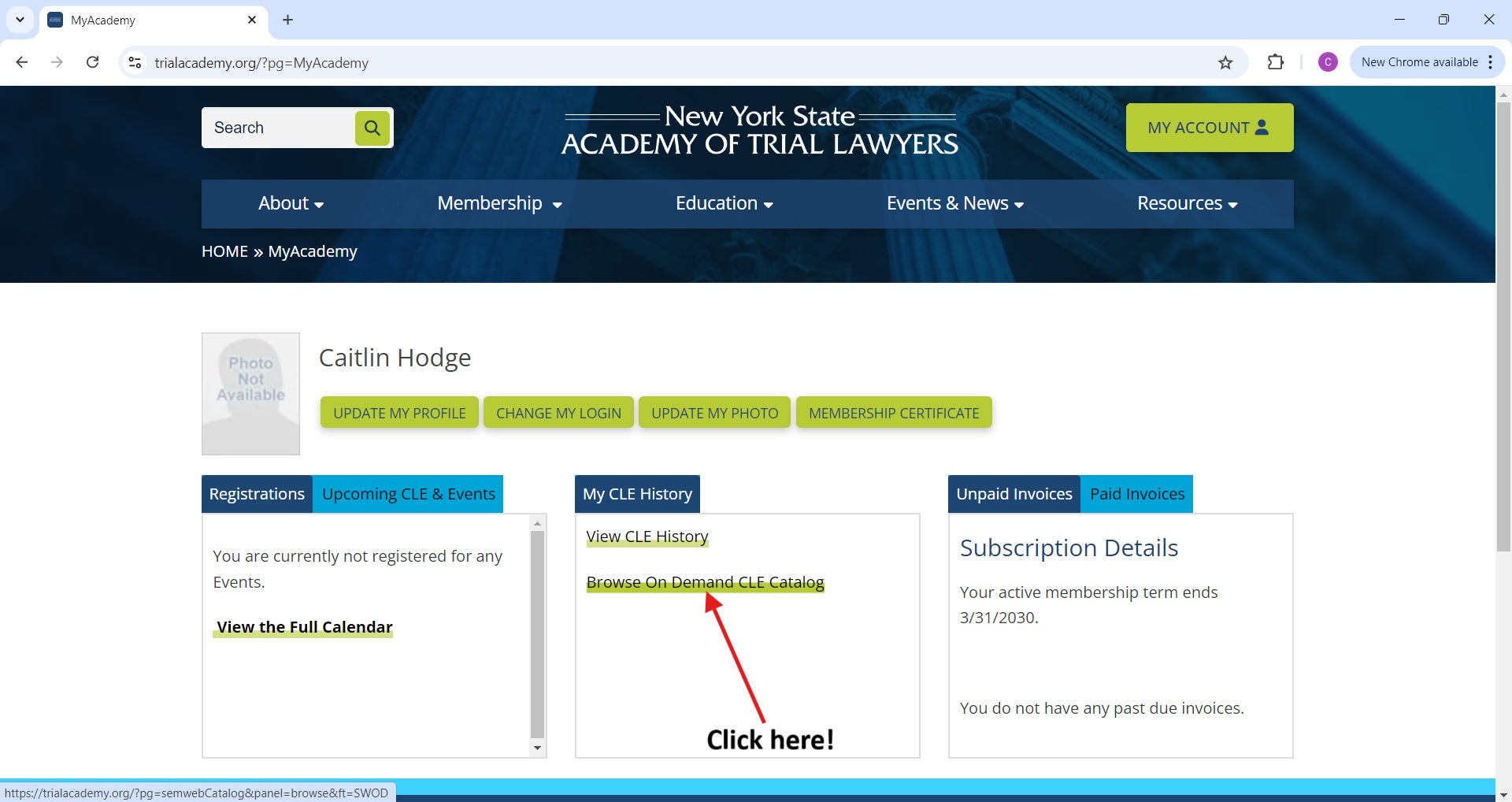 Then click on the person-shaped icon “My CLE”
 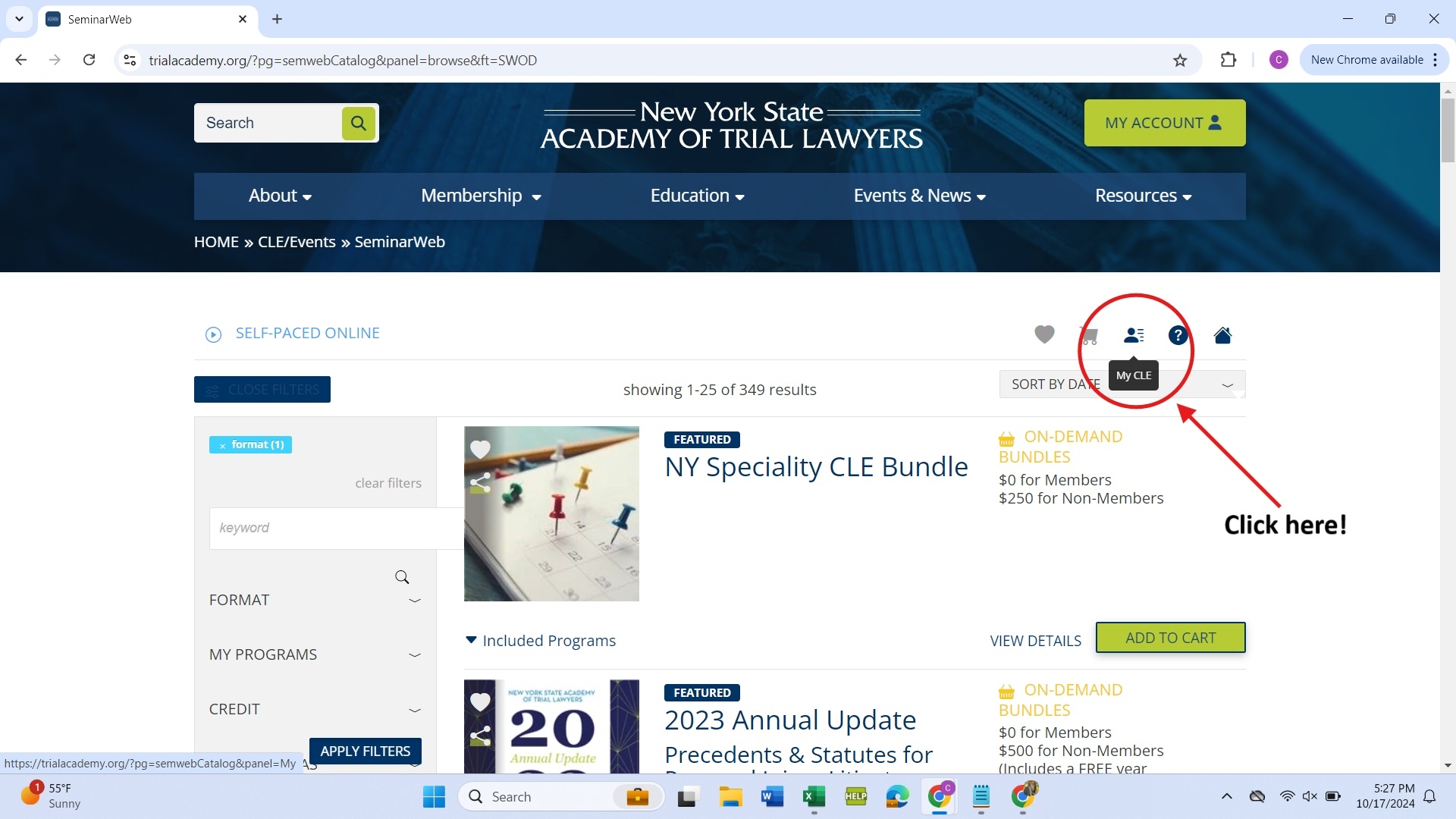 You will then see all of your registered courses!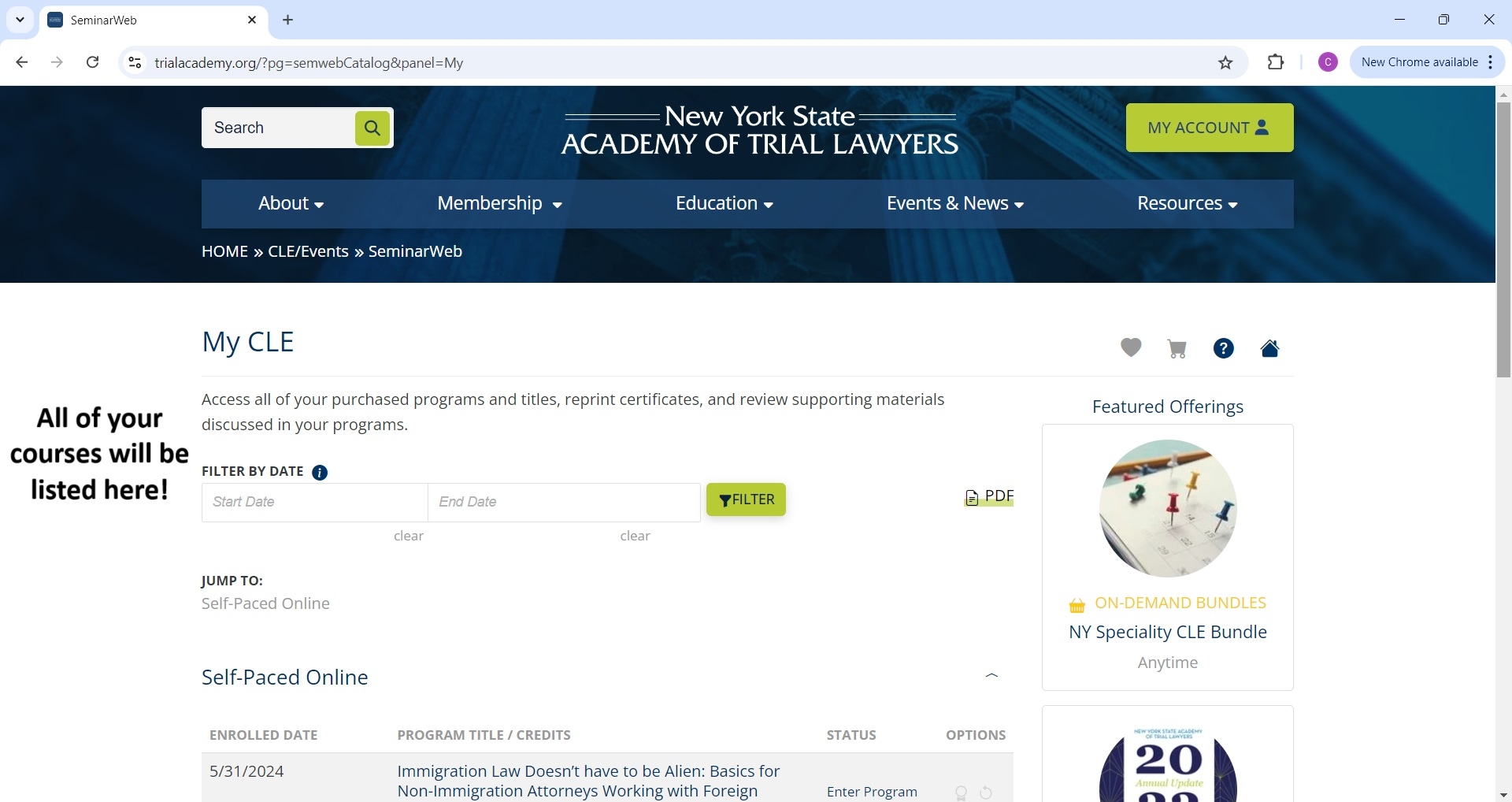
If you’re not receiving emails from us, please check your spam or junk folder. Additionally, our emails are often blocked with AOL, .gov email addresses, and some other email servers. Please add the below email to your contacts or ask your IT team to safelist this address to be sure you're receiving the emails: noreply@m.nysa.membercentral.org
You can unsubscribe from our emails by clicking the 'unsubscribe or update email preferences' link at the bottom of any of our emails. Alternatively, you can find unsubscribe options in the “Update My Profile” section of your account (seen below). If you are still having trouble, contact us for assistance.